DeepSeek R1: The Complete Guide to Running AI Locally in 2025
I know what you’re thinking: ‘Saturday night, the Sanremo Festival final, a long Valentine’s weekend… and this guy is writing a post about artificial intelligence?’
But you see, while my better half is lost somewhere between one song and the next, I’ve found the perfect excuse to retreat to my tech corner. At least here nobody will ask me to vote by texting 4731…
But enough chit-chat. Remember when, to run a decent AI, you had no choice but to connect to some cloud service, share your data with half the world, and pray your internet connection wouldn’t throw a tantrum right as you were wrapping up that important project? Good times… or maybe not.
In 2025, thanks to DeepSeek and Ollama, you can finally bring the power of artificial intelligence straight to your Mac. No more subscriptions and privacy trade-offs, no more latency that would make a call to Mars jealous because of the VPN (you know where it is, you know what it’s like, you know why), and above all, no more excuses not to experience the thrill of having a personal AI assistant running locally.
An AI Born from Distillation
Before diving into the installation, let’s take a little trip into the world of AI distillation. No, we’re not talking about grappa, but about something just as potent: the process of transferring knowledge from a large model to a smaller one.
Imagine you have a super-expert professor (the large model) who has to teach a student (the small model). Traditional distillation would be like having the student watch every single move the professor makes. But DeepSeek does something different: it uses the large model to create a sort of “personalized textbook” that the student can study.
To give you a practical idea, it’s as if you wanted to teach a junior AI to handle your company’s ticketing system. Instead of making it analyze thousands of chaotic support emails, you use a senior AI to turn those emails into clear question-answer examples, creating a structured dataset for training.
The Magic of Modern Distillation
In DeepSeek’s case, the researchers used the large model (R1) to generate 800,000 examples of structured reasoning. It’s as if they had created a crash course in problem-solving for smaller models. The result? Models like DeepSeek 7B that you can run on your Mac with surprisingly good performance.
Ollama: Your Best Friend for Running LLMs Locally
If distillation is the theory, Ollama is the practice. It’s a tool that makes it incredibly easy to run large language models (LLMs) on your computer. Think of Ollama as a package manager for AI models: it takes care of downloading, configuring, and running models with a few simple commands.
Practical Use Cases
Coding Assistant
- Code generation
- Debugging
- Code review
- Automatic documentation
Text Analysis
- Summaries
- Sentiment analysis
- Keyword extraction
Automation
- Report generation
- Document processing
- Data transformation
Prerequisites: Preparing the Ground
Before diving into the installation, let’s talk hardware. To run DeepSeek R1 in its 14B-parameter version (a good compromise between performance and requirements), your Mac should have:
- At least 16GB of RAM (32GB if you want to be really comfortable)
- An M1/M2 processor or better (yes, Apple Silicon chips are fantastic for this)
- At least 30GB of free disk space
- macOS Monterey (12.0) or later
That said, I managed to run the r1:7b model on a MacBook Air M2 with 8GB of RAM (and a bit of extra patience for answers to complex questions)
Installing Ollama on Mac
Installing Ollama is surprisingly simple. No complex configuration or dependencies to manage. Here’s what to do:
- Go to the official Ollama website (ollama.ai)
- Download the installer for macOS
- Open the downloaded file and follow the installation instructions
- Launch Ollama
Now we’re ready for the next step: running DeepSeek R1.
DeepSeek R1 14B: The Right Model to Start With
I chose to focus on the 14B-parameter version of DeepSeek R1 because it’s powerful enough to handle complex tasks but not so demanding that it requires a supercomputer.
To install and start the model, open your favorite terminal and type:
ollama run deepseek-r1:14b
On first launch, Ollama will download the model (about 8GB). Don’t worry if it takes a while. Once the download is complete, the model will be loaded into memory and ready to use.
How to Use the Model

Once the model is running, you can interact with it directly from the terminal. It’s like having a local version of ChatGPT, but with some interesting advantages:
- No internet connection required after the initial download
- No usage limits
- Your data stays on your computer
- Faster responses (no network latency)
You can ask questions, request explanations, generate code, or analyze text. The model is particularly good at logical reasoning and programming, thanks to DeepSeek’s specialized training.
Interaction and Behavior
One of the most interesting things about DeepSeek R1 is the way it interacts. Unlike other models, DeepSeek openly shows its “thinking” through <think> tags, letting us see how it processes requests. It’s like having a window into the AI’s decision-making process. Here’s an example of a real interaction I had with the model:
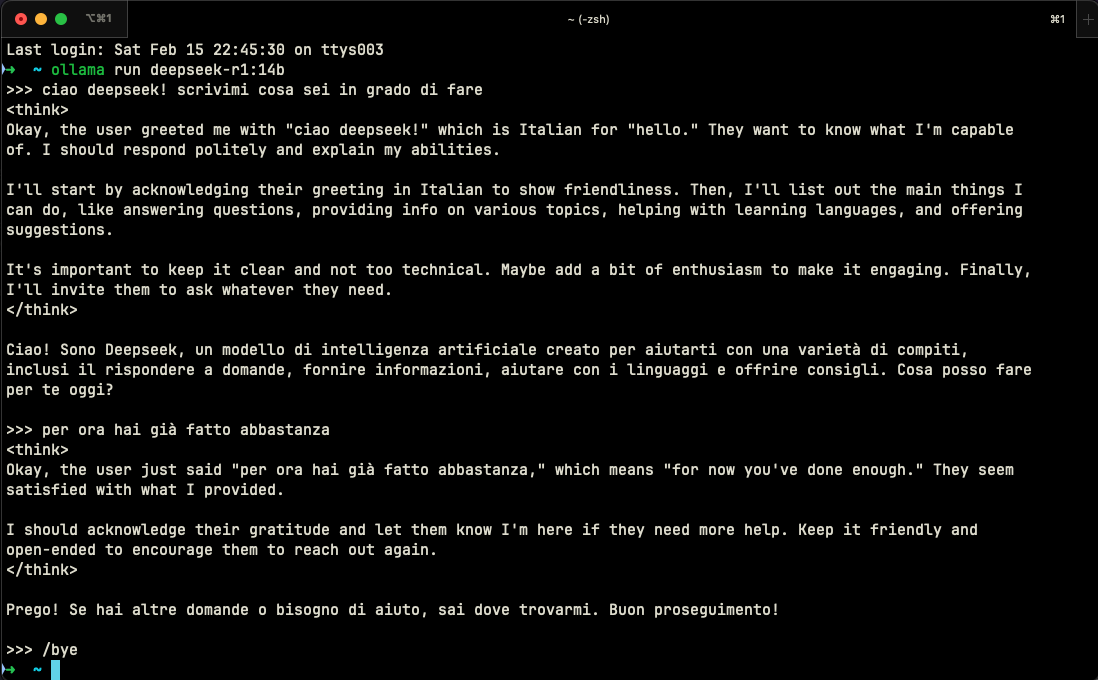
What makes this interaction particularly interesting is:
- Language Recognition: The model automatically identifies Italian and adapts its answer
- Transparent Thinking: Through the
<think>tags, we can see how it reasons before answering - Cultural Adaptation: It doesn’t just translate, it adapts tone and style to the target culture
- Structured Approach: It organizes its thinking into logical steps before formulating the answer
To end a session, just type /bye. Simple and elegant, just as it should be.
“If we hit 12k likes I’ll show you how to install…” oh wait, this isn’t YouTube! I got a little carried away 😅 But while we’re at it, here’s a spoiler: there’s a web interface called Open WebUI that you can install locally via Docker, which makes interacting with DeepSeek practically identical to ChatGPT. Picture a nice clean UI, saved conversations, the ability to upload files… in short, everything you’d expect from a modern LLM interface. But that’s a story for another post (and no, you don’t have to like or subscribe to the channel to read it; when it’s ready you’ll find it right here on the blog). For now, here’s a screenshot:
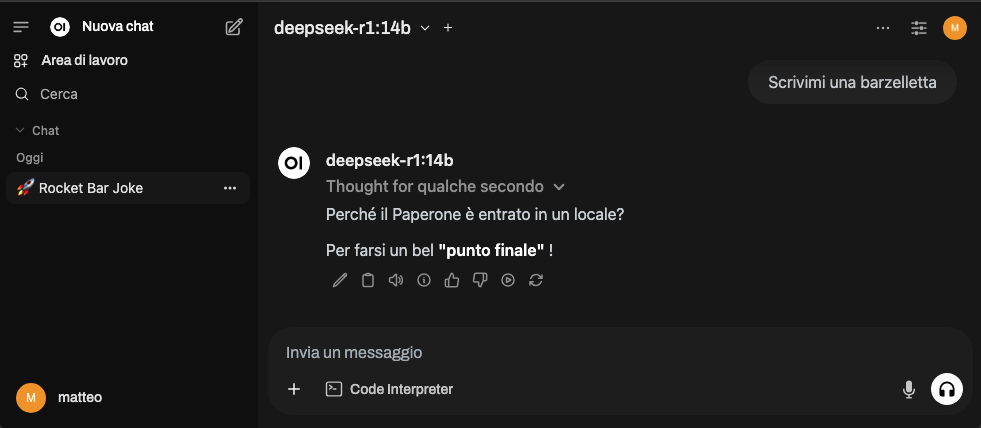
Ok… maybe the humor needs a bit of fine-tuning.
Update: here’s the link to the article on Open WebUI
Integration with Zed
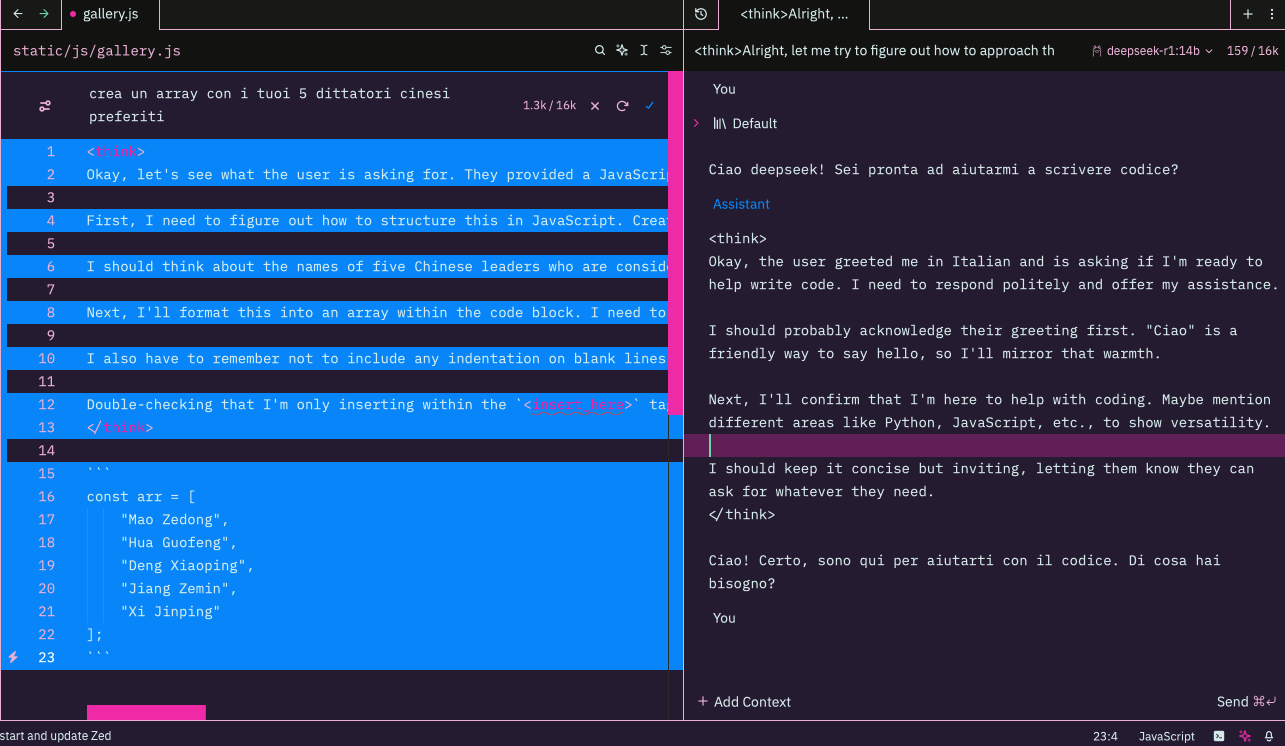
Once installed, the model will also be available in Zed, and it passed the censorship TEST! (Or maybe not, given that it turned “Dictator” into “Leader” in its reasoning? Leave your opinion in the comments!)
Memory Management
DeepSeek can be demanding on RAM. Here are a few tricks to optimize performance:
- Close the applications you’re not using
- Use Activity Monitor to keep an eye on memory usage
- If possible, avoid running other AI models at the same time
Troubleshooting
DeepSeek Won’t Start
If the model won’t start, try restarting Ollama and/or run this to check its status:
ollama ps
if everything is fine, you should see something like this
NAME               ID              SIZE     PROCESSOR    UNTIL
deepseek-r1:14b    ea35dfe18182    11 GB    100% GPU     4 minutes from now
Slow Performance
If responses are too slow:
- Reduce the context length (the conversation memory)
- Lower the temperature (creativity) and top_p (unlikely words) parameters
- Consider switching to a lighter model
Here you’ll find a detailed guide on how to customize parameters via a Modelfile.
Why Choose DeepSeek?
Anyone who has tried different AI models knows they’re not all the same. DeepSeek stands out for a few features that make it particularly interesting for developers.
First of all, its reasoning ability is surprising. While other models may give you vague or generic answers, DeepSeek tends to explain its thought process. It’s like having a mentor who doesn’t just tell you what to do but also explains why. I’ve seen it solve complex algorithmic problems while explaining every step of its reasoning, making even the toughest concepts surprisingly accessible.
On the performance front, DeepSeek is like a Tesla Model 3: compact but powerful. The 7B model runs well even on a MacBook Air, which you can’t say for all of its competitors. Startup is almost instant, and memory is managed intelligently - no more fans that sound like they’re about to take off after five minutes of use.
But perhaps the most important advantage is privacy. In an era when our data is collected, analyzed, and sold by every online service, having an AI that runs entirely locally is like finding an oasis in the desert. Your prompts, your questions, your experiments stay on your computer. Period. No cloud, no tracking, no “this conversation may be used to improve our services”.
Conclusion
DeepSeek on a Mac isn’t just a tech experiment: it’s a step toward a future where artificial intelligence is truly personal and private. It’s like having an assistant that’s always available, doesn’t need an internet connection, and doesn’t share your data with anyone.
The best part? This is just the beginning. As distillation technology advances and models keep getting optimized, we can expect ever better performance even on consumer hardware.
Useful Resources: